Design a Purrfect Cover: The Ultimate Template for Cat Art
There is a specific kind of magic in the niche of coloring books. It isn't just about the interior illustrations anymore; it is about the promise of relaxation and creativity that starts the moment a potential buyer sees the cover. For authors, illustrators, and designers working within the self-publishing space, the barrier to entry is often the technical side of print production. You might have a stunning illustration of a tabby cat lounging in a sunbeam, but if your spine width is off by a millimeter or your DPI is too low, the final product looks amateurish. This is where a robust, professionally structured template changes the game, specifically when dealing with the whimsical and detail-heavy genre of animal art.
Bridging the Gap Between Art and Print
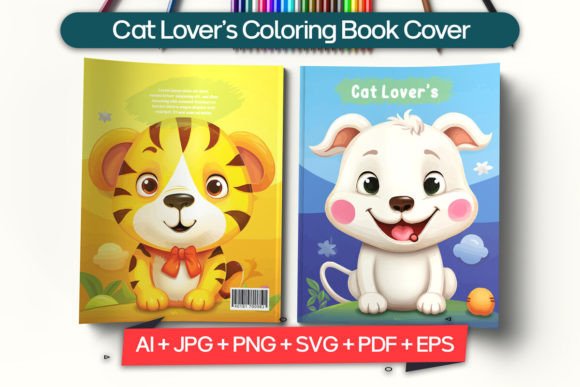
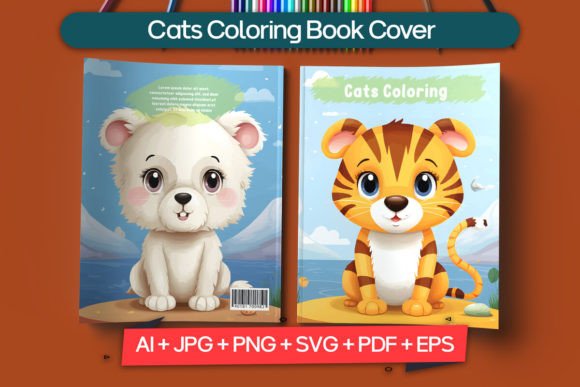
The challenge with creating a Cats Coloring Book Cover is balancing the intricate, often line-art style of the content with the bold, eye-catching requirements of a book jacket. You need a design asset that understands the technical specifications of publishing while leaving the creative door wide open. A template designed for this purpose acts as a skeleton, ensuring that your bleed, trim, and safe zones are perfectly aligned so that when you upload to platforms like Amazon KDP or IngramSpark, you don't hit rejection walls.
This particular template approach is built on a foundation of professional-grade technical specifications that are non-negotiable in the print world. We are talking about a strict adherence to CMYK color modes, which is the standard for offset printing, ensuring that the calico orange on your screen looks like calico orange on paper, not a muddy brown. With a resolution of 300 DPI, the fine whiskers and detailed fur textures you’ve drawn remain crisp and sharp. It is the kind of technical rigidity that frees up your creative flow because you don't have to worry about the math; the grid is already there.
The Power of Full Customization
One of the biggest frustrations with pre-made book covers is the "locked" nature of the graphics. You find a layout you love, but the font is wrong, or the central image is a dog when you need a Persian cat. The solution lies in fully layered, vector-based files. When you work with a template that offers 100% vector graphics and editable layers in Adobe Illustrator, you gain total control. You can isolate the background elements, swap out decorative flourishes, and most importantly, adjust the typography to match the mood of your interior art.
Typography is the voice of your book. For a Cats Coloring Book Cover, you might want a playful, handwritten script that feels personal and artsy, or perhaps a bold serif font that signals a more sophisticated, adult-oriented stress-relief book. Because the file includes the necessary fonts and allows for layer manipulation, you aren't stuck with a generic look. You can pair a whimsical display font for the title with a clean sans-serif for the subtitle to ensure readability from a thumbnail distance—a critical factor for online sales where the cover is often the size of a postage stamp.
Practical Applications Beyond the Bookshelf
While the primary goal is a print-ready book cover, the assets included in a professional package offer versatility for your broader branding ecosystem. If you are an author or a small business owner selling these books, you need more than just the physical product; you need a cohesive visual identity. Here is how you can leverage these design assets across your marketing channels:
- Social Media Marketing: Use the high-resolution PNG or JPG files to create Instagram posts or Facebook ads. The 300 PPI quality ensures that even when cropped or zoomed in, the image remains professional.
- Website Headers: The SVG file is perfect for web use. It scales infinitely without losing quality, making it ideal for a website banner announcing a new release or a landing page dedicated to your coloring book series.
- Merchandise Mockups: If you decide to expand your brand into tote bags or mugs featuring your cover art, the vector (AI/EPS) files are essential for high-quality printing on physical goods.
- Promotional Materials: Create flyers, posters, or bookmarks for local craft fairs. The ready-to-print PDF files take the guesswork out of sending files to a local print shop.
Streamlining the Workflow for Creators
Time is a non-renewable resource for independent creators. The traditional method of building a book cover from scratch involves setting up grids, calculating spine widths based on page count, and manually creating crop marks. It is tedious and prone to error. By utilizing a template that is already prepared for both printing and online publishing, you are essentially cutting your production time in half.
Imagine the workflow: you download the file, install the included fonts, and open the layered Illustrator document. You drag and drop your central cat illustration onto the artboard, lock the layer, and start experimenting with the title placement. The technical heavy lifting is already done. This efficiency allows you to focus on what actually sells the book: the emotional connection of the design. Whether you are a seasoned graphic designer or an author dabbling in self-publishing for the first time, having a "plug-and-play" structure for the cover ensures that your final output looks indistinguishable from traditionally published books.
Visual Consistency and Brand Recognition
If you are planning a series—which is common in the coloring book niche—you need to think about the long game. A single Cats Coloring Book Cover is great, but a series of five books with a consistent visual language is a brand. This is where the "highly customizable" nature of the template shines. You can establish a recurring layout—perhaps a specific placement for the title and a consistent border style—and then simply swap out the central cat illustration and color palette for each subsequent volume.
This consistency builds trust with your audience. When a customer is browsing Amazon, they should be able to recognize your "brand" instantly, even before reading the author name. It signals professionalism and reliability. Using a consistent set of design assets helps you maintain this visual rhythm across different formats and platforms, from the thumbnail on a screen to the physical book in someone's hands.
Technical Integrity for Professional Results
It is worth reiterating the importance of the technical specifications provided. In the world of design assets, "ready to use" can sometimes mean "low quality." However, a template that specifies 100% vector construction and CMYK compliance is offering true professional utility.
For instance, the inclusion of an EPS file ensures compatibility with older software versions or different vector programs, while the AI file caters to the Adobe standard. The availability of a high-res PNG allows for quick digital usage without needing to open heavy design software. This variety of file formats ensures that no matter your preferred toolset or your specific output requirement, you are covered. It removes the technical friction that often stops a project in its tracks, allowing you to move from concept to published product with confidence.
Final Thoughts on Crafting the Perfect Package
Creating a coloring book is an act of generosity; you are giving someone a tool for mindfulness and creativity. The cover is the invitation to that experience. It needs to be inviting, professional, and technically sound. By starting with a robust, customizable template, you ensure that the vessel for your art is as polished as the art itself. It is about respecting the craft of publishing while celebrating the joy of illustration. Whether you are a hobbyist looking to gift a book to friends or an entrepreneur building a passive income stream, investing in high-quality design infrastructure is the first step toward a product you can be truly proud of.